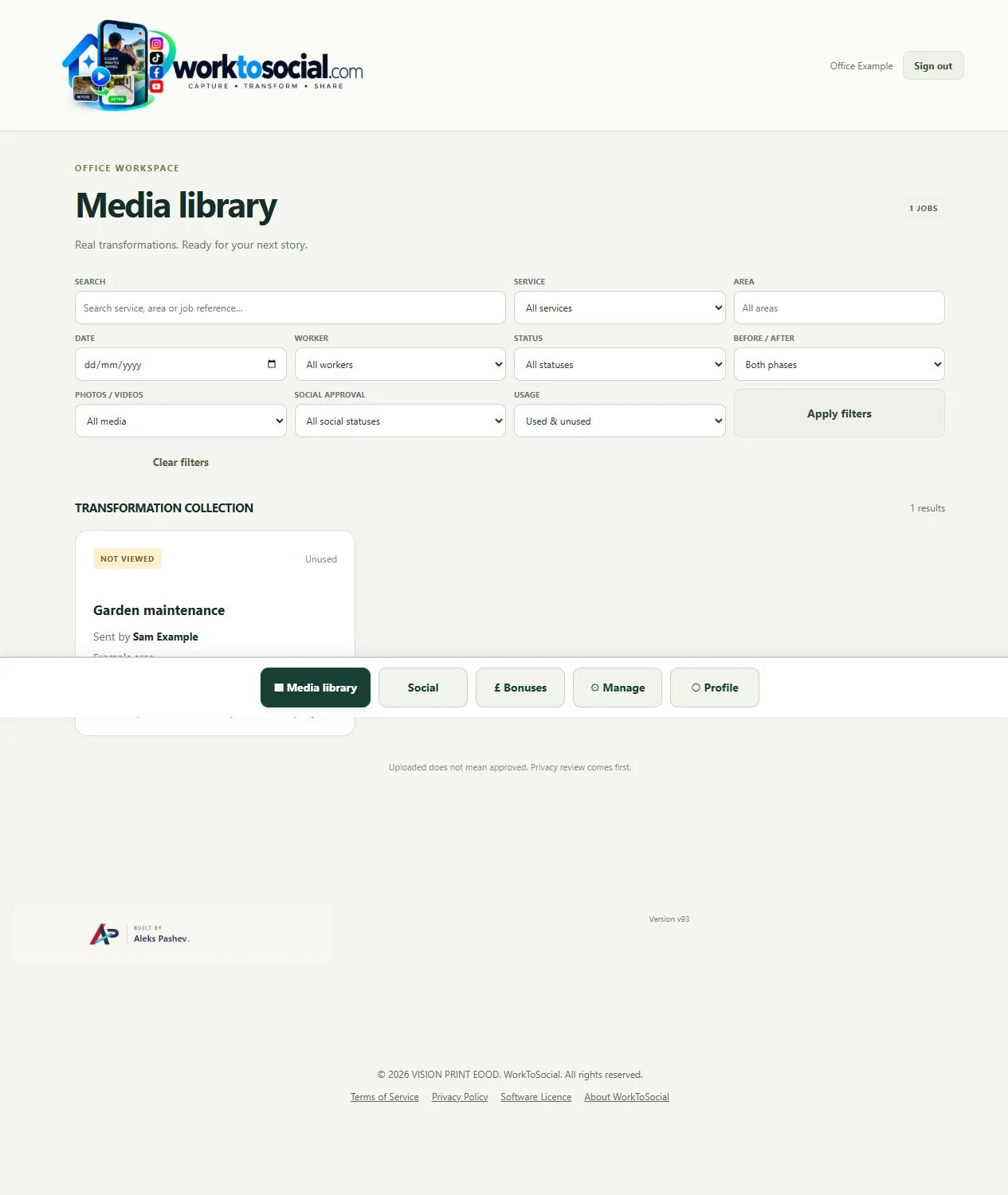
Capture in the field. Review in the office. Export for your own publishing workflow.
Actual WorkToSocial interface · sample data.THE PROBLEM
Context travels with the photograph
Field photos often disappear into personal camera rolls or long message threads. An office colleague receives a picture without knowing the job, the service or whether it shows the finished result. WorkToSocial gives each upload a job context: service, area, reference and worker attribution. Before and after phases make the sequence understandable without asking the worker to explain it again.
01Select service
02Add job context
03Upload photos
04Office filters
05Review selected media
TWO ROLES · ONE WORKFLOW
A clear handover from the field to the office
WORKER
Capture the work
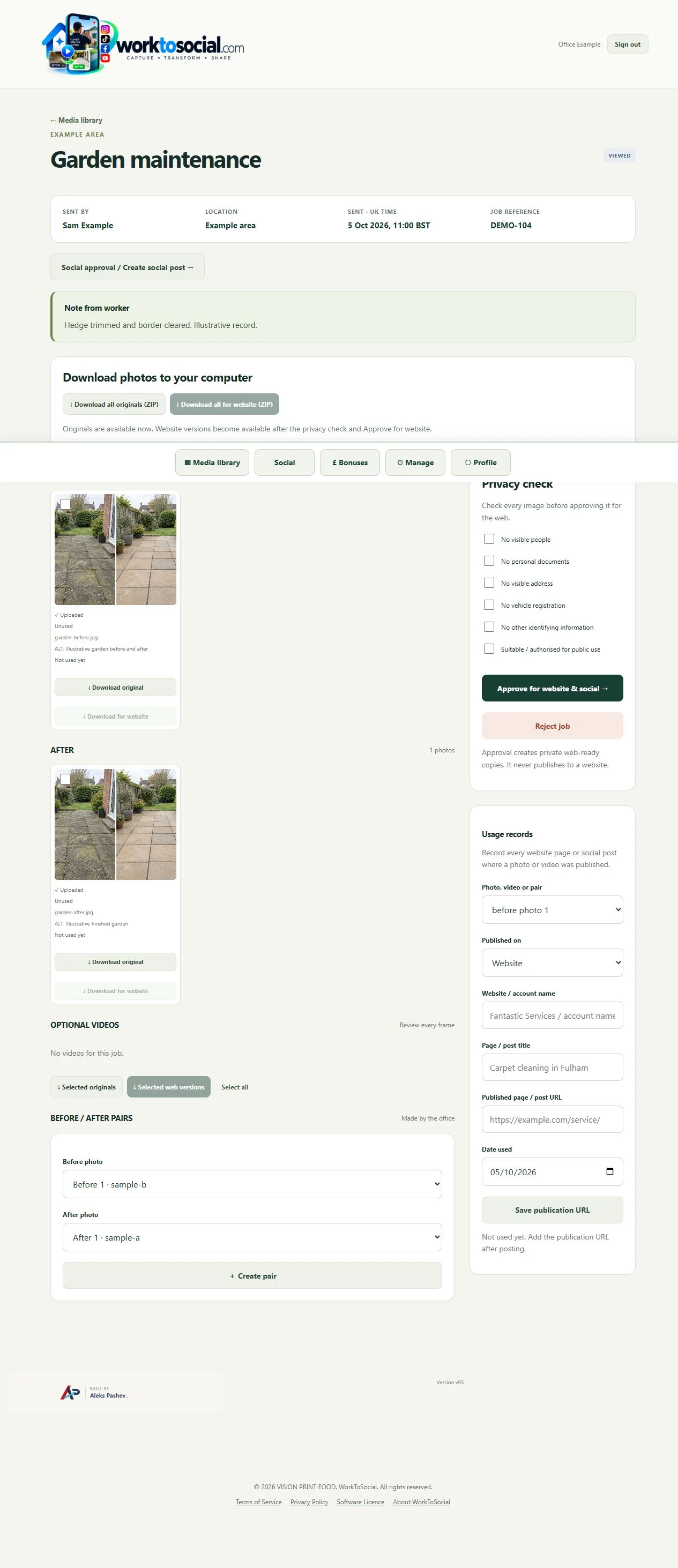
Capture photos against the right job. Submit the work to the office rather than treating an upload as approval. Office can filter the media library, inspect individual photos and record where approved material was used. Editing settings sit alongside the image; the source photo remains unchanged.
Company services help the office understand what was done. Choose the service performed on this visit.
Area and reference
Find the relevant upload without relying on an ambiguous filename or scrolling through a message thread.
Worker and date
See who submitted the job and when it reached the office. Ask a focused question if a result needs clarification.
Before and after
The two phases belong to the job. The office chooses which photographs make an honest visual pair.
IN PRACTICE
A useful example from the field
For a carpet clean, keep the stained area and the finished result together. For a maintenance visit, document the damaged fitting and the completed repair. Choose frames that show the work clearly, without customer paperwork, visible addresses or people who have not consented.
A message can deliver a picture quickly, but the explanation may be several messages away. A folder can store the picture, but the team still needs a naming convention. Here, the job record is the starting point. Ask workers for a useful overview and one close detail rather than a large, unexplained batch.
● ● ● WorkToSocial · example workspace
Job context, source photos and review controls · actual application interface with illustrative records. Select image for full size.QUESTIONS
Before your team starts
Do we need to replace our job management system?
No. WorkToSocial focuses on field media and its content workflow. It is not presented as a replacement for quoting, invoicing or scheduling software.
Does an upload publish anything?
No. Capture, approval and export are separate steps. Direct social publishing is not active in this release.
CONTINUE THE WORKFLOW
Connected tools, explained in context
WhatsApp comparison
Compare a chat handover with the job-based content workflow.