
A repeatable client brief
Ask for one overview, a useful detail and a note about the actual service performed.
A marketing reviewer can plan the message but cannot photograph a service visit they never attended. Asking a local business for “some content” often produces unrelated camera-roll files with no service, reference or explanation. A simple capture brief helps the people on site send material the reviewer can actually use.
Capture in the field. Review in the office. Export for your own publishing workflow.

The field team knows what changed. The reviewer knows which story the business wants to tell. Connect those two roles inside the client company’s authorised workspace: useful media, a factual note and a deliberate review. This positioning describes one company’s content process; it is not a claim that an agency can switch brands and manage all its clients in one dashboard.
Ask for one overview, a useful detail and a note about the actual service performed.
Use the available service and job fields to understand the submission before writing public text.
Apply the client company’s configured branding and check its current contact details in the finished export.
Agree who is authorised to review the source and final output. A downloaded file can then enter the agency’s chosen publishing process.
Use company-configured services and existing job fields. Illustrative workflow; outputs are downloaded for your chosen publishing process.
The client company administers its own authorised accounts and relevant services. Workers capture their visit and add a short explanation. The reviewer should not need to guess which client, service or task a photograph belongs to.
See the Worker App →An agency reviewer can take an office role only where company access is explicitly authorised and provisioned. Review the client’s source and branding within that company context. Account capacity, access arrangements and responsibility for approval must be agreed before use.
Explore the Office Dashboard →The client asks workers for matched hedge views and one sentence explaining the visit. An authorised office reviewer chooses the source, prepares a concise branded export and obtains the client’s public-use decision through the agreed process. The file then moves into the agency’s existing publishing tools; WorkToSocial does not post it automatically.
A client’s transformation pair should show that client’s actual work and the same subject. Do not mix source photos across businesses or reuse another company’s result as a client example.
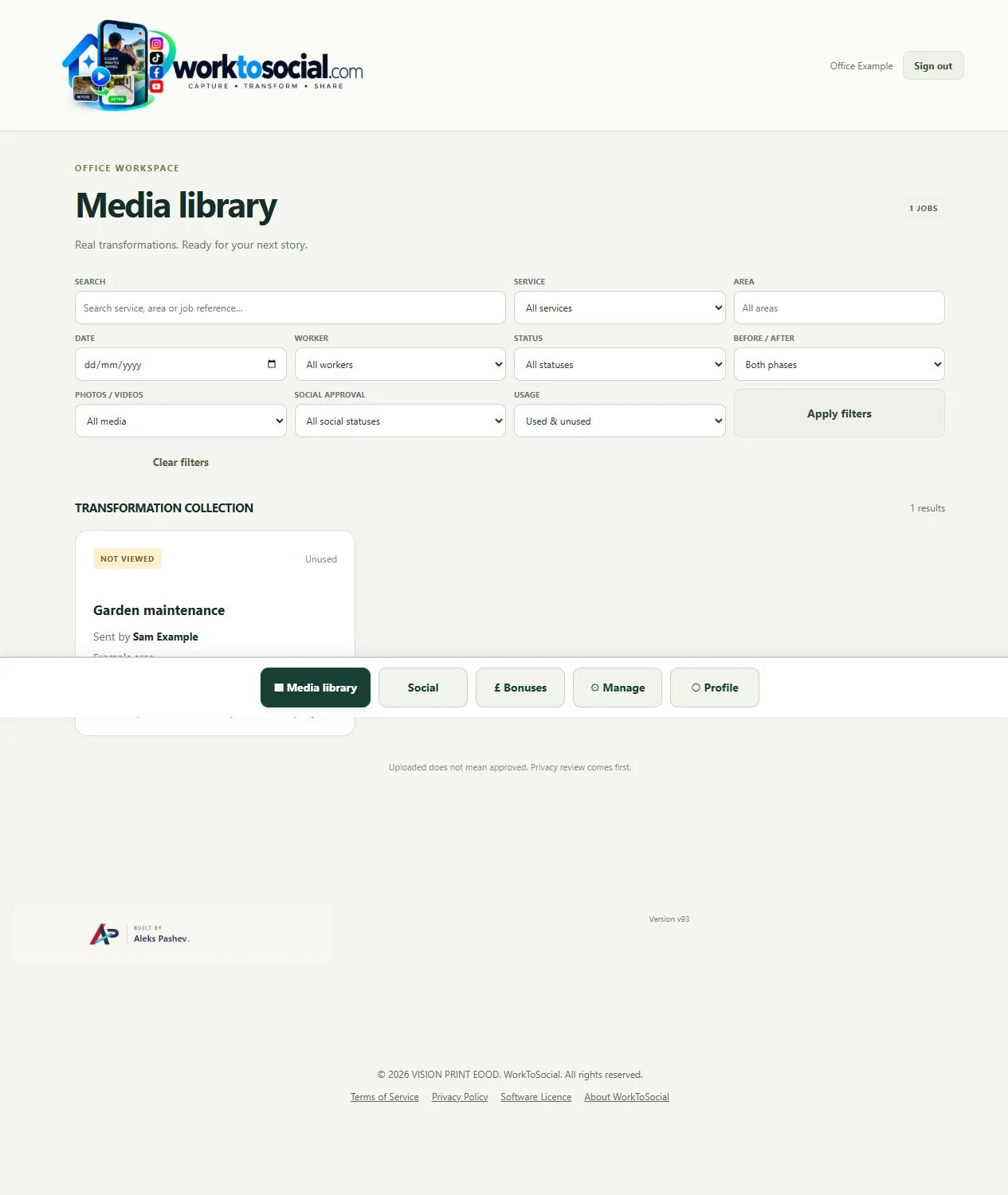
One company context, its authorised workers and office reviewers, its configured identity and selected exports. A client and agency need to agree who can access that workspace and who makes the final public-use decision.
A consolidated agency dashboard, client switching, campaign-level multi-brand controls and franchise-wide permission management need separate product work. They are not presented as available features or an active roadmap commitment.
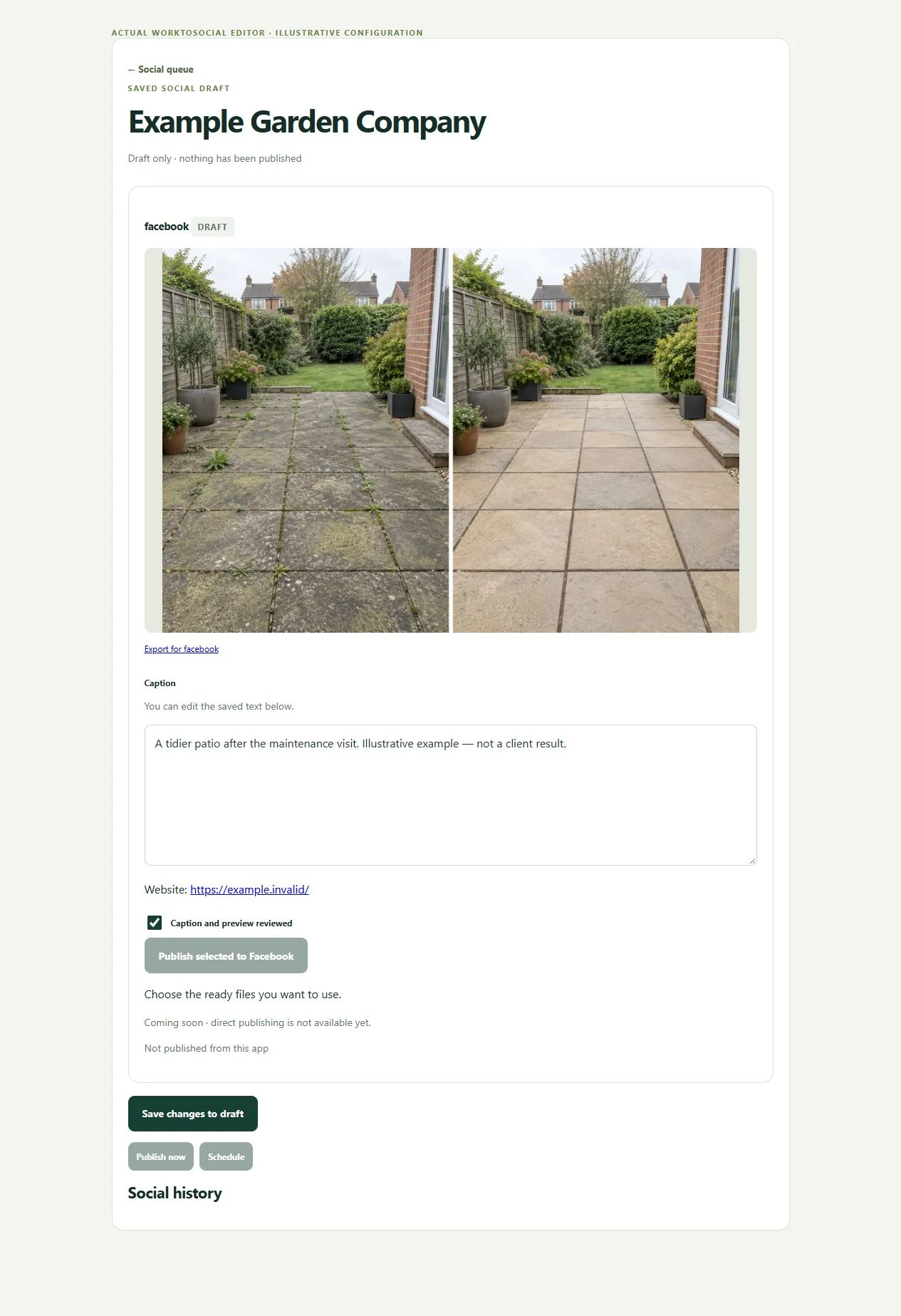
An agency reviewer can take an office role only where company access is explicitly authorised and provisioned. Review the client’s source and branding within that company context. Account capacity, access arrangements and responsibility for approval must be agreed before use.
The public-use decision is separate from capture. A selected image or clip can be edited and prepared, but an upload does not publish it. Keep the final text tied to this task, check visible details and current company contact information, then use the downloaded file in the business’s chosen publishing workflow.
Advanced multi-client switching, multi-brand campaigns and cross-company agency permissions are not offered as existing features here. They require a suitable architecture and a separate capability review.
A reviewer can work in a specific company workspace when the company authorises and provisions appropriate access. The valid workflow is capture, job context, review, branding and export for that company.
No. Direct publishing is not active. Use the reviewed downloaded files in the agency’s chosen publishing process.
See the company-scoped review interface.
Explore office dashboard →Prepare the authorised company identity.
Explore video branding →Keep the public-use decision explicit.
Explore content approval →Turn real jobs into consistent, branded content your office can review and use.
Discuss your team’s workflow with us.