Capture in the field. Review in the office. Export for your own publishing workflow.
Actual WorkToSocial interface · sample data.THE PROBLEM
Prepare the files, then publish through your channels
A service business already has material that potential customers can understand: the work itself. A clear transformation, a short explanation or a well-framed finished result is more useful than a generic promotional graphic. The challenge is making it consistent enough for the office to use regularly.
01Choose media
02Edit
03Select networks
04Generate files
05Review
06Download
TWO ROLES · ONE WORKFLOW
A clear handover from the field to the office
WORKER
Capture the work
Capture the job, approve the source, edit the media and select the intended networks. WorkToSocial prepares suitable output formats and brand treatment. Review the preview and post text, then download the chosen files. Publish using your own channel workflow and record the resulting URL in the workspace.
A genuine result or useful explanation is a better starting point than an unsupported promotional claim.
Choose output format
Inspect the crop and legibility in each selected network format.
Review text and media
Check the post wording alongside the full visual preview before selecting a file.
Download and record use
Publish through the business’s own channel workflow and add the resulting URL to the job.
IN PRACTICE
A useful example from the field
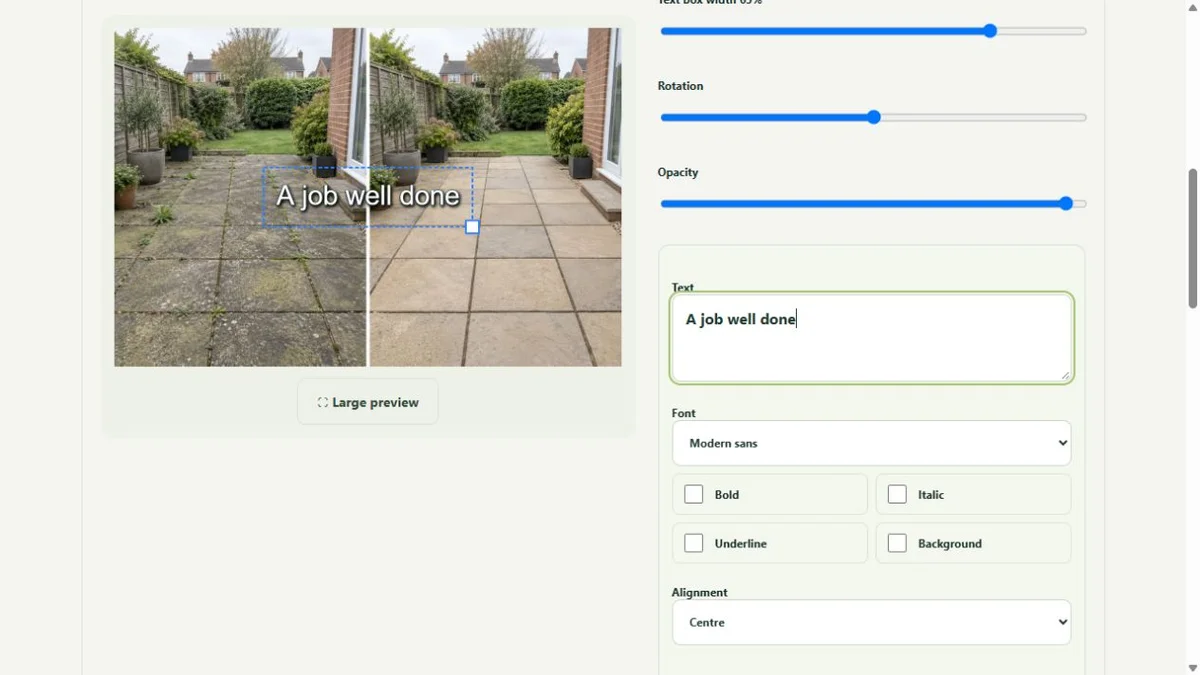
Use a carpet before-and-after to explain the service, a garden result to show seasonal work, or a technician clip to answer a recurring customer question. Keep claims specific to the job. The platform helps prepare the material; it does not guarantee reach, enquiries or bookings.
Network selection prepares suitable content files. It does not mean an account has been connected for direct publishing. Current production does not provide automatic social posting or a live publishing calendar.
● ● ● WorkToSocial · example workspace
Photo layers and text in the real editor · actual application interface with illustrative records. Select image for full size.QUESTIONS
Before your team starts
Does WorkToSocial publish to every network automatically?
No. Current production workflows prepare and export social-ready content. Direct publishing requires separately activated integrations and permissions.
Does an upload publish anything?
No. Capture, approval and export are separate steps. Direct social publishing is not active in this release.
CONTINUE THE WORKFLOW
Connected tools, explained in context
Before & after
Keep the two phases together and select genuine comparisons.