Capture in the field. Review in the office. Export for your own publishing workflow.
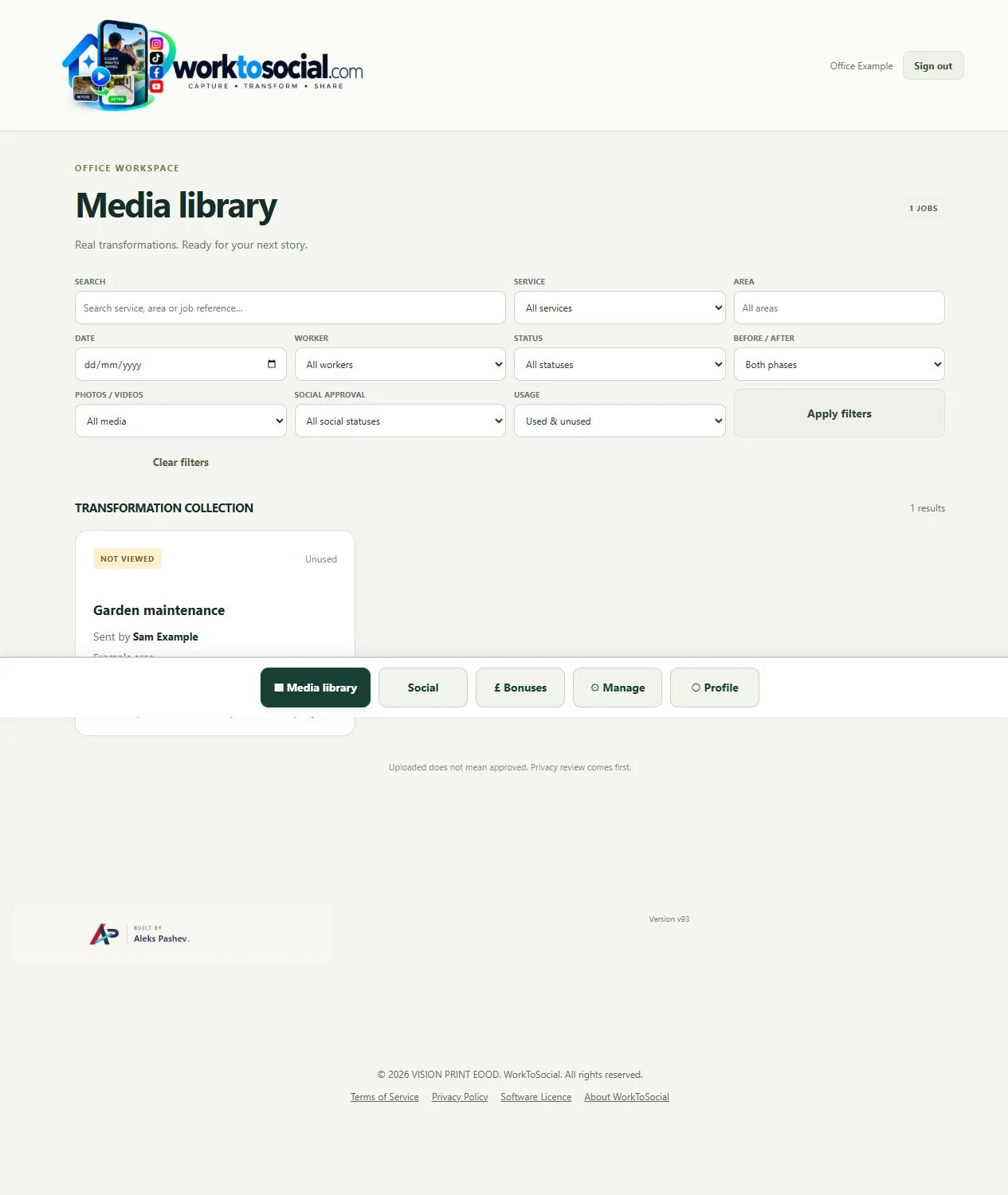
Actual WorkToSocial interface · sample data.THE PROBLEM
Keep coordination attached to the source
The difficult part of field marketing is often coordination. Workers know what happened on site; office colleagues know what the company needs to communicate. When those details live in separate chats, an otherwise useful photo may never become a post. A shared workflow connects the source, the review and the prepared content.
01Worker submits
02Office finds
03Review
04Prepare
05Export
06Record use
TWO ROLES · ONE WORKFLOW
A clear handover from the field to the office
WORKER
Capture the work
Workers capture their own jobs. Office searches the media library by service, area, worker, date and media type. Approved material moves into the editing workflow, where the team prepares files for the intended channel. Publication URL records document where media was used; they are not a live analytics integration.
Agree a small number of useful shots and a short explanation for each type of job.
Office queue
Review submitted material rather than assuming every upload is suitable for public use.
Editing decisions
Choose the media, format, captions and brand treatment that tell this job’s story.
Usage record
Record the resulting publication URL. This documents use; it is not live social analytics.
IN PRACTICE
A useful example from the field
Set a simple team habit: record the service, capture the key result and add a short note explaining the work. Office can then decide whether the content is educational, a transformation or a service example, instead of guessing from an isolated image.
Keep this workflow alongside your booking and job management system. WorkToSocial is focused on media and its route into usable content. It does not replace quoting, invoicing, dispatch or a live scheduling calendar.
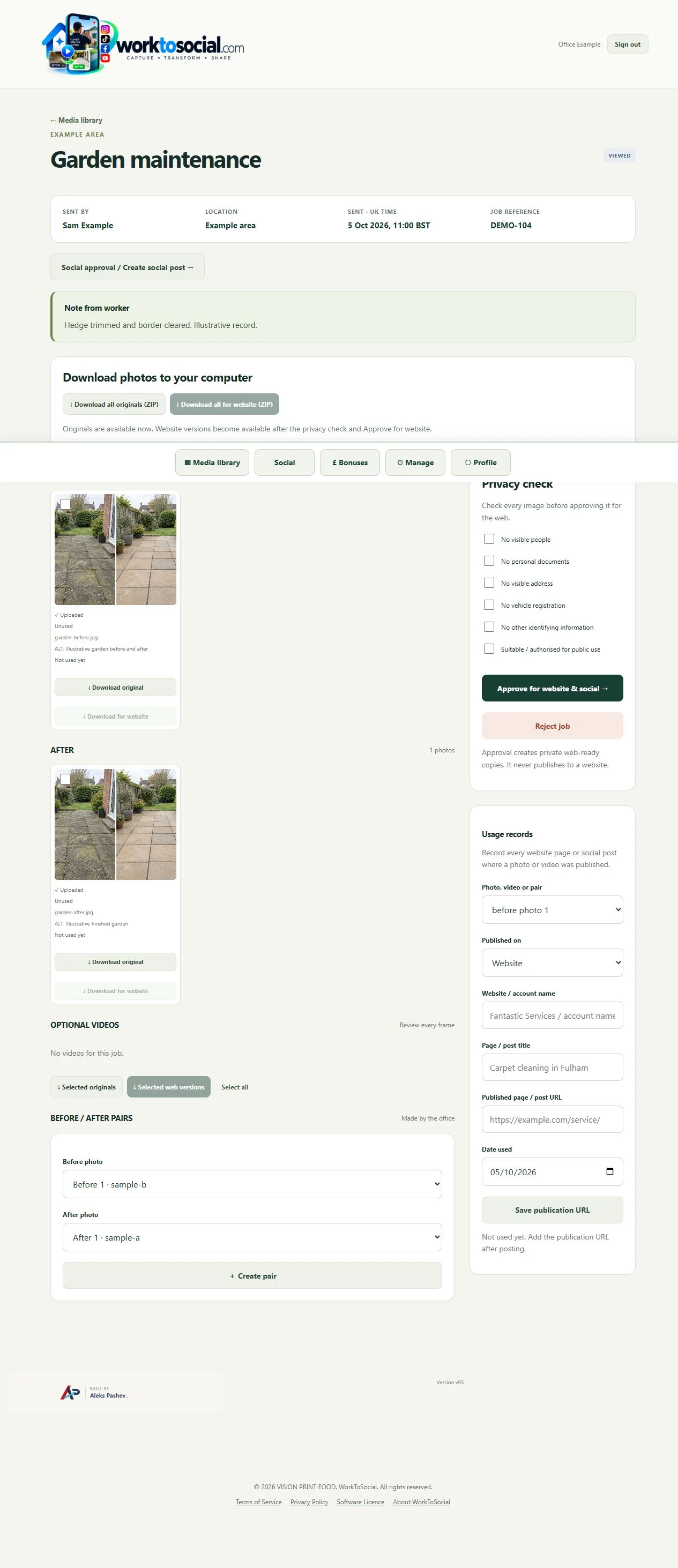
● ● ● WorkToSocial · example workspace
Job context, source photos and review controls · actual application interface with illustrative records. Select image for full size.QUESTIONS
Before your team starts
Is this an automatic posting calendar?
No. Current workflows prepare and export content. Direct publishing integrations and automated scheduling are separate work and are not advertised as operational.
Does an upload publish anything?
No. Capture, approval and export are separate steps. Direct social publishing is not active in this release.
CONTINUE THE WORKFLOW
Connected tools, explained in context
Before & after
Keep the two phases together and select genuine comparisons.