

Solve the handover problem before making more content
A service team may finish useful work every day while its marketing folder remains difficult to use. One person sends a close-up without explaining the task. Another sends a finished result with no starting image. The office receives a promising clip but cannot tell whether the background contains something that should remain private. More files do not automatically produce a clearer story.
The practical problem is the handover. Someone must connect the material to the work, explain what happened and decide whether it is suitable for public use. Only then can an editor prepare a crop, brand treatment or caption that accurately represents the job. A photograph is source material, rather than a complete marketing decision.
WorkToSocial Media & Social is being developed around this field-to-office process. It remains coming soon and is not available to purchase. The planned capture-to-export workflow shows the direction: collect real material, review it deliberately and prepare selected files for the business's own publishing process. You can improve your team's handover habits while assessing whether that approach fits your needs.
Capture a useful subject and the context behind it
Begin with a customer question the work can honestly help answer. A garden-maintenance team might show which part of a border was cleared. A cleaning team might explain the scope of a particular visit. A technician could demonstrate one visible stage of an assessment. Choose a subject the worker can record without disrupting safe delivery of the service.
Add a short factual note while the details are fresh. Describe the task, the relevant phase and any limitation that would matter to an editor. Use a suitable internal job reference to connect the files. Avoid putting customer names, exact addresses or other unnecessary personal details into the public story. An office reviewer should be able to understand the material without guessing.
For a before-and-after comparison, aim for a comparable view and keep the two phases connected. Different angles or lighting can make an ordinary change look more dramatic than it was. Do not stage a misleading starting point or describe an unfinished task as complete. When a fair comparison is unavailable, a single accurate photograph with an explanation can be more useful than a forced transformation.

Make receipt and review separate steps
A worker submitting files does not establish that the office has received everything or that the material is suitable to publish. Build a simple handover check: the relevant files arrived, the reference is understandable and the reviewer knows what decision is required. Missing context should lead to a question, rather than an invented caption.
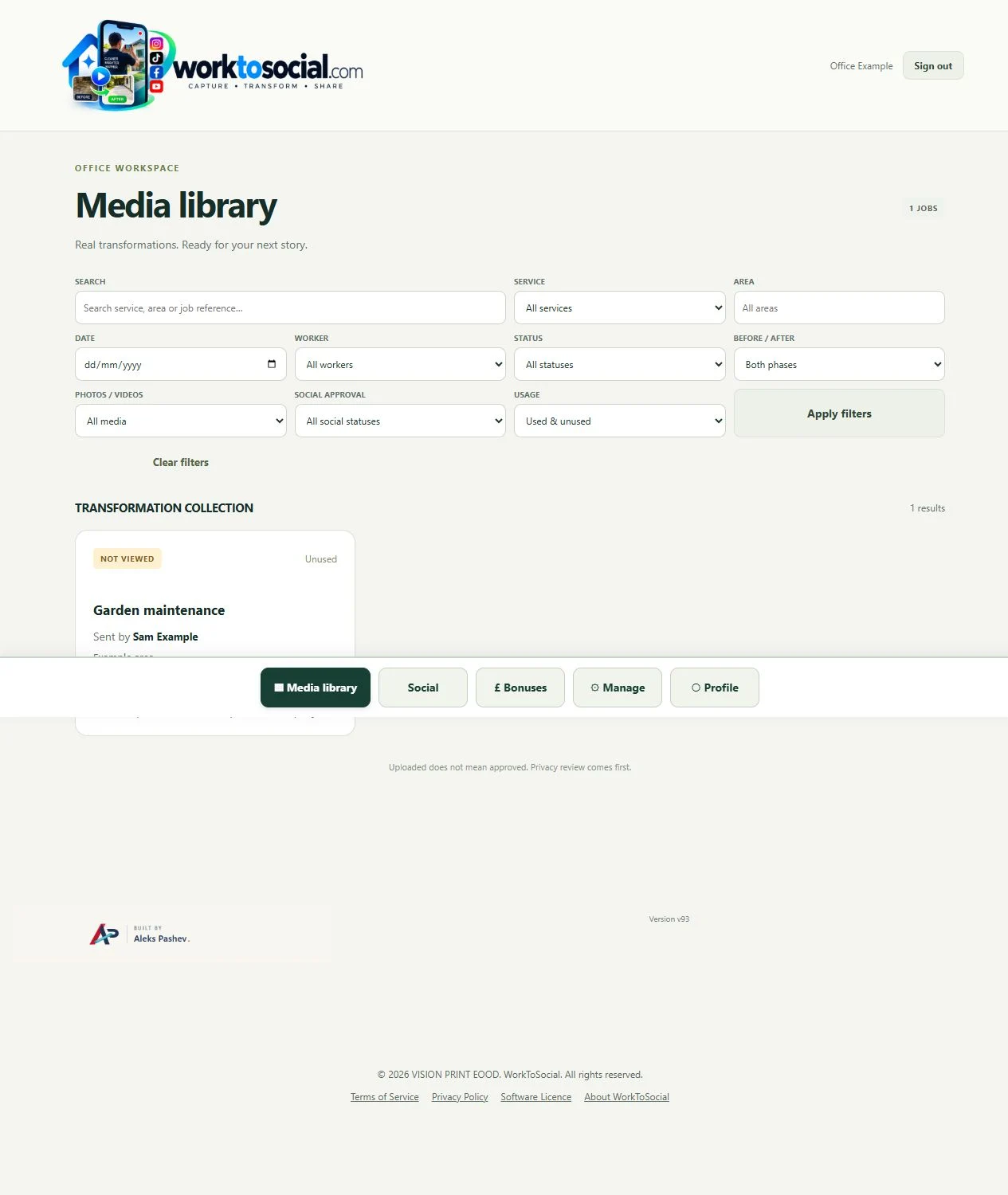
The forthcoming WorkToSocial workflow is designed to organise submitted work with job context and worker attribution. Its example interfaces distinguish a library record from subsequent review. That distinction matters operationally: a shared folder full of unreviewed files should not become a list of items that anyone assumes are ready for social media.
Assign a clear reviewer and define what happens when material needs clarification. For example, a reviewer might ask whether a photographed area was the full agreed scope or one stage of a larger visit. Keep the answer attached to the internal record. The aim is a dependable route from a worker's observation to an accurate business explanation, without making workers responsible for every editorial choice.
Inspect the source before preparing a branded version
The office should inspect each selected photograph and watch an entire clip, including its audio. Check the background as well as the main subject. People, documents, reflections, address details or vehicle registrations can be easy to overlook in a small thumbnail. The business must establish that the intended use is appropriate and authorised; an upload alone does not settle that question.
Review the story at the same time. Does the note match what the images show? Is the claimed work visible, or does it require a qualified explanation? Is any limitation important enough to include? If the evidence is unclear, ask for clarification, choose a different subject or decide not to use the material publicly.
The planned office review and editing process supports deliberate preparation, but it should not be described as automatic privacy clearance. Manual checks remain essential. If a crop or privacy treatment is used, inspect the resulting file carefully. A safer editorial choice may be to select a different photograph entirely. Keeping a file private is a legitimate outcome of a good review.
Use a hypothetical garden job to build one honest story
Imagine a garden-maintenance business receiving photographs from a routine visit. This is a hypothetical example, not a WorkToSocial customer case study. The worker provides a job reference, comparable views of a border and a note stating that the agreed work involved trimming growth and clearing that border. A separate area of the garden was outside the visit's scope.
The office checks the source material, confirms the description and selects views that represent the work fairly. The caption can explain the particular task without claiming that the whole garden was renovated. If an image includes the unrelated area, the editor considers whether it adds helpful context or creates a misleading impression about what was completed.
One useful output could pair the comparable views with a short explanation of the agreed scope. Another could use a single finished view to answer what information a customer should provide when enquiring about a similar visit. These are possible editorial choices, not promised product results. The team's own confirmed facts determine the story, and no image establishes a guaranteed outcome for future customers.
Prepare the format without losing the explanation
After source review, decide where and how the content will be used. A wide photograph may need a different crop for a vertical format. Keep the relevant work visible and check whether added wording remains readable on a phone. Company branding should help someone identify the business without covering the detail that makes the photograph useful.
The forthcoming social-ready content workflow describes editing selected media, applying company identity, preparing suitable output formats and reviewing downloadable files. Treat these as preparation stages in a coming-soon product. Selecting a network format does not mean a social account is connected or that a post will be published automatically.
For a short video, review the whole edited sequence and its sound. Check any subtitles against the speech and the visual context. Make the next step accurate: an enquiry route should lead to the relevant business destination. Avoid adding unsupported guarantees or a claim about the whole service merely because a template has room for a headline. The format should serve the explanation.
Approve the finished file and publish through your own process
Approval of source material is only part of the work. The final crop, sequence, branding and post text need a separate check. Editing can remove context or introduce an inaccurate statement even when the original photograph was suitable. Review the actual finished preview, including contact details and any call to action, before choosing an export.
Media & Social remains coming soon. The published workflow describes downloadable outputs for the business's own channels; automatic social posting and a live publishing calendar are not active features of this media module. Do not confuse this article's publication with a product capability. A business would use its own authorised channel process to publish approved files.
After publication, retain the resulting page or post URL alongside the internal job record where appropriate. That helps the office find where a selected image was used and avoid uncertain reuse. A publication record does not establish reach, enquiries or bookings. Those outcomes require separate evidence from the business's own channels and customer process.
Start with a small routine your team can maintain
Choose one suitable job type and agree a modest capture brief: the useful view, the necessary context and the person who reviews it. Try the routine with the tools already available to your team. Review what the office received and identify the missing information before asking workers to capture more material.
Keep the standard practical. The source should show real work fairly, the note should explain its scope, and the finished content should answer a useful question. Some visits will not produce suitable public material. A reliable process allows that outcome rather than rewarding volume at the expense of accuracy or privacy.
To explore the product direction, review WorkToSocial's planned workflow or ask about Media & Social and early access. Availability and scope should be confirmed before planning a rollout; the module cannot currently be purchased. For the wider toolkit, our WorkToSocial introduction explains how this planned media process differs from the available website-audit and competitor-monitoring tools.
Competitor Spy and Duplicate Auditor have their own plans and usage limits. Media & Social is coming soon. Product findings support human review; they do not guarantee rankings or commercial results. Check the linked product pages for current details.