Give each location page a practical purpose
A service website can accumulate location pages faster than its team can review them. One useful description becomes a template, then the place name changes across dozens of URLs. The pages look locally targeted, but a visitor may still struggle to find out whether the business serves their address or what information is needed to arrange the work.
Begin with the customer task. A location page might confirm a genuine service area, explain how an enquiry is assessed or direct someone towards the relevant service information. Write down that purpose before deciding what needs rewriting. If the page has no distinct role, more words will not automatically give it one.
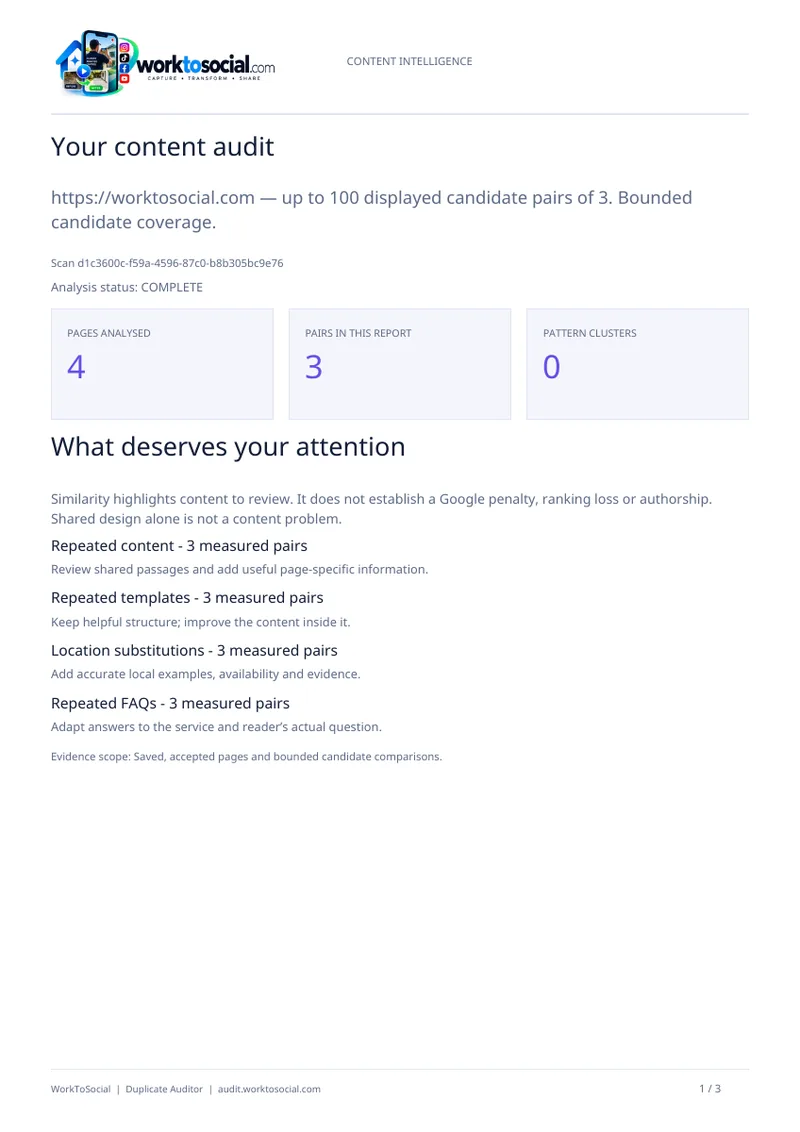
WorkToSocial Duplicate Auditor helps identify comparisons within the available website scan, including repeated passages and location-wording patterns. Use those observations to choose pages for review. They do not establish that every local page is unnecessary, that a search penalty exists or that replacing repeated language will improve rankings. The useful question is what accurate information the visitor needs here.
Confirm the service area with the people doing the work
Ask the business to verify what it actually offers in the named area. Coverage may depend on the service, the job details or current operational arrangements. Keep those distinctions visible. A general statement that the company works across a region should not become an unsupported promise that every service is available at every address.
Record the source of the answer and who owns it. An operations colleague may confirm the coverage wording, while another person checks the enquiry route. If a fact is uncertain, keep it as an internal question until resolved. Do not turn an unverified assumption into a confident opening sentence because the page needs to sound local.
Be equally careful about physical presence. Serving an area does not establish that the company has an office there. Do not invent a branch, a local team or a customer history. A straightforward explanation of how to check service availability can be more useful than a page filled with claims that the business cannot substantiate.
Separate justified repetition from missing information
Read the shared material before deciding to remove it. The same contact route, service definition or standard condition may belong on several pages. Consistency can help visitors and make maintenance easier. The problem is not that a sentence appears twice; it is that the page may fail to answer the question suggested by its title.
Look for a distinct contribution beyond the place name. Does the page explain how to provide an address for a coverage check? Does it connect to the correct service description? Does it clarify a genuinely relevant arrangement that operations has confirmed? Avoid adding generic lists of neighbourhoods or local attractions simply to make the page longer.
Template similarity also needs context. A short page may share a substantial menu and footer while retaining useful instructions of its own. Our guide to template versus main content explains how to read those comparisons. Preserve supporting elements that help people use the website, then inspect whether the central explanation earns its place.

Gather useful local facts without manufacturing difference
Useful detail is connected to the service and the enquiry, rather than a requirement to mention landmarks. Ask which information the business needs to assess a job in the area. Depending on the actual service, that could include the address, the type of property, relevant access arrangements or a description of the work. Publish only what the responsible team confirms is appropriate.
Do not assume a particular access restriction, response time or appointment pattern applies everywhere in a district. Those conditions can differ between addresses and change over time. Where the business needs to assess them individually, explain that process accurately instead of presenting a broad local rule.
Avoid fabricated social proof. An invented resident quotation, an unverified completed-job story or an unrelated stock photograph described as local work undermines the page. If suitable genuine evidence is unavailable, use a clear factual explanation. An image can be labelled as illustrative, and a hypothetical example can teach a process without pretending to document a customer result.
Work through a hypothetical two-area comparison
Imagine a maintenance business with pages for two neighbouring service areas. This is a hypothetical example, not a customer case study. Both pages repeat a broad introduction, a company phone number and the same enquiry button. The only difference in their body text is the area name.
The reviewer asks operations whether the service and enquiry process differ. The team confirms a common assessment process and genuine coverage in both areas, but does not identify a separate office or a guaranteed attendance time. Those limits matter: a writer should not manufacture a local branch or a faster response claim to distinguish the pages.
The next decision concerns page purpose. Perhaps each page has a useful navigation role and can clearly explain how to submit an address for coverage confirmation, with links to the relevant services. Perhaps a broader coverage page would serve the same need more clearly. That is a website decision to review, not a conclusion established by the similarity finding alone.
In either case, the brief should preserve confirmed facts and resolve a customer question. Replacing the repeated introduction with two different promotional stories would change the wording while leaving the information problem intact.
Turn a comparison into a focused editing brief
Choose a relevant pair from an authorised website analysis. Open the source pages and note their purpose, shared passages and distinct information. Add the practical question that remains unanswered. A brief such as confirm coverage wording and explain the address-check step gives the writer a task with an identifiable source of truth.
Assign the colleague who can verify the facts and the person who will make the change. Keep operational statements separate from proposed copy until reviewed. If a shared condition needs correction, check every page where it appears. A local content review should improve consistency where consistency is justified, rather than create contradictory variations.
Our service-page review guide offers a related approach for gathering meaningful differences. The same principle applies here: write from confirmed information about the service. Where paid reporting is included in your entitlement, a relevant PDF or CSV can support the handover. Free Scan does not include those exports, so plan the review around the evidence actually available.
Review the wider website before changing URLs
Do not delete or consolidate a location page because a passage matches another one. Check its role in navigation, related service pages and any existing links before proposing a structural change. If the business chooses consolidation, the implementation needs an appropriate plan for affected URLs and links. An editorial comparison is only one input to that decision.
Consider scan coverage as well. Duplicate Auditor works with the pages available to the analysis, subject to permissions, retrieval and allowance limits. Review discovered, analysed and failed URLs. Missing pages can limit the picture, and an extraction issue can confuse supporting text with the main explanation. Inspect the original pages whenever a finding seems inconsistent with what visitors see.
Similarity does not prove that pages compete in search results or establish a ranking effect. Use the appropriate additional evidence for those questions. Keep the recommendation narrow enough to justify: this page needs a clearer coverage explanation, this statement requires operational confirmation, or these URLs need a broader purpose review.
Check the revised explanation as a customer would
After an edit, open the published page and follow its practical route. Can someone understand whether the business may serve their location and what details to provide next? Do the links lead to the right services? Does a shared statement remain consistent elsewhere? Review those questions alongside the colleague responsible for the service.
Set a maintenance owner for facts that may change. If coverage or the enquiry process changes, the related pages need a coordinated review. Do not treat a successful rewrite as permanent verification. A later authorised analysis can help inspect new evidence within the applicable allowance, but it cannot guarantee more enquiries or improved rankings.
To begin, explore Duplicate Auditor and its current scan options, confirm permission for the website and choose one meaningful location-page comparison. Keep helpful shared facts, resolve uncertainty with operations and improve one customer task. The objective is an accurate local explanation, rather than a longer page whose new wording says no more than the old template.
Competitor Spy and Duplicate Auditor have their own plans and usage limits. Media & Social is coming soon. Product findings support human review; they do not guarantee rankings or commercial results. Check the linked product pages for current details.